
For years, the gold standard in IT Asset Disposition (ITAD) documentation has been the wipe log – a detailed, auditable record that captures the device, the verification result, and a timestamp. It’s traceable, defensible, and built for audits. Wipe logs matter, and they’re something the industry has rightly pushed hard to normalize. But they only cover half the picture.
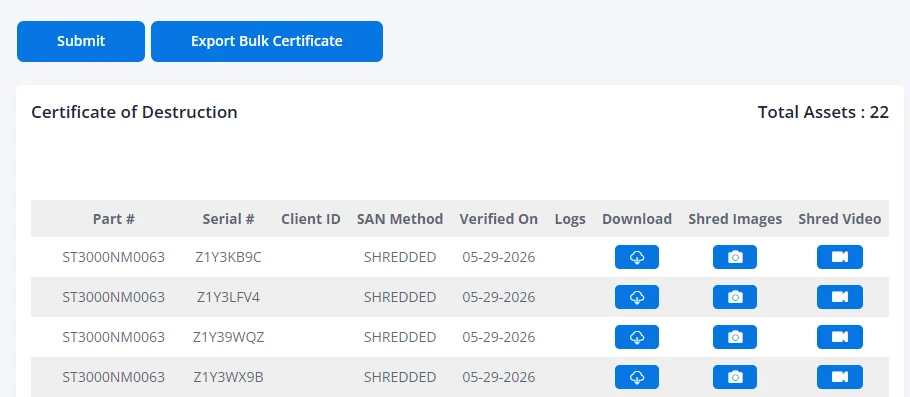
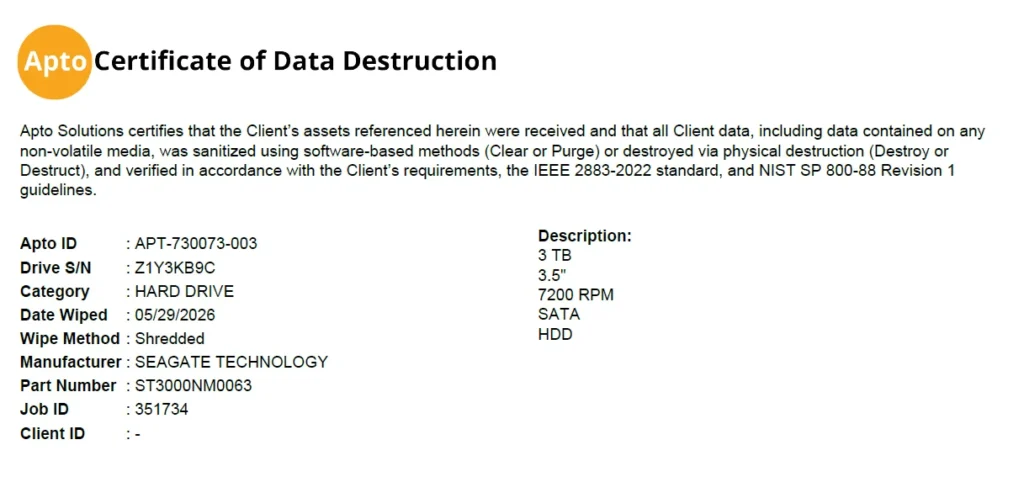
Shredded drives are typically your most sensitive assets. They’re the ones you’ve decided can’t be sanitized and reused, and they currently come with a certificate of destruction listing serial numbers. No visual record. No proof of the physical act. Just a document that says it happened. That asymmetry has always existed in ITAD, and most organizations have accepted it as the status quo.
What we’ve added
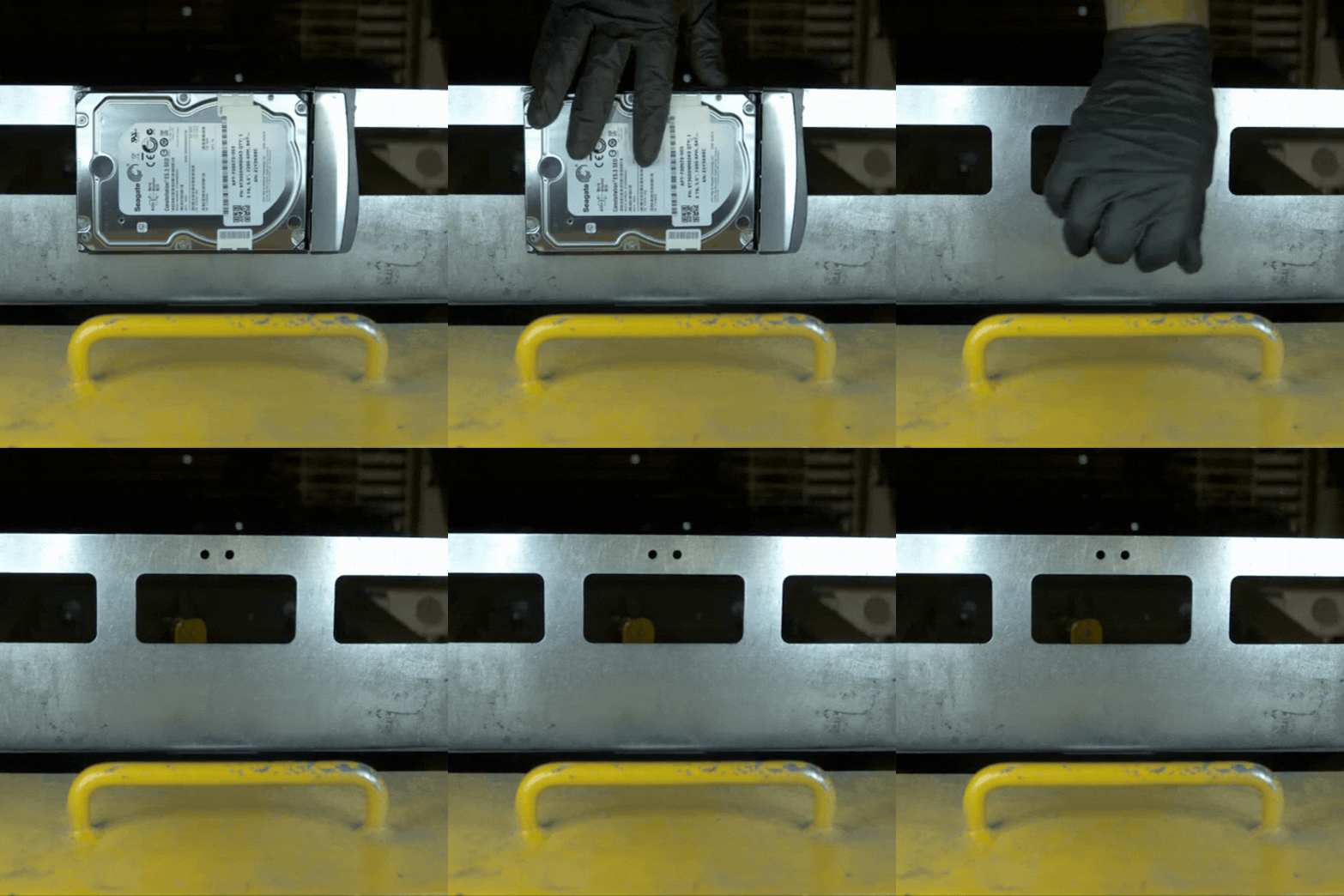
We’ve built a camera system integrated directly into our shredding workflow. As drives are fed into the shredder, it captures images and short video clips. These records are then tied to your job and your chain of custody. The result is visual evidence of physical destruction that didn’t exist before in standard ITAD practice. Combined with your existing wipe logs and destruction certificates, it gives you a complete documentation package: one that can hold up not just internally, but in front of auditors, regulators, and legal teams.
The risk isn’t hypothetical
In 2022, a Fortune 500 investment company was fined $35 million by the SEC after improperly disposing of hard drives. They contained the personal data of 15 million customers and turned up for sale at an online auction. The firm had hired a moving company with no data destruction experience, failed to monitor the work, and couldn’t recover the vast majority of devices. The paper trail said the drives were handled. The reality was something else entirely.
All your destruction records, one place
Wipe logs, certificates of destruction, and shredding footage are all available through our client portal, built for IT asset managers who need fast, audit-ready access to complete disposition reporting. Log in or reach out to your account rep to see what’s on file for your organization.